
Shift Planner Tracker | Excel & Google Sheets Template for Shift Workers
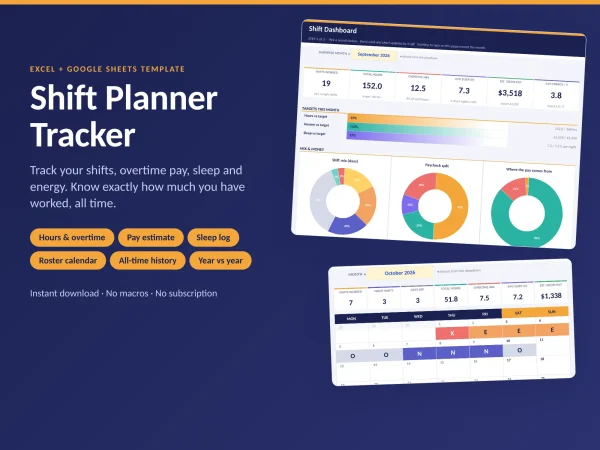
Know what you worked, what you earned and how you slept. Shift Planner Tracker turns your daily shift entries into a clear dashboard. No formulas to write, no macros, no subscription.
What it does
- Hours and overtime: hours are counted for you, including overnight shifts and unpaid breaks. Hours beyond your overtime limit are paid at your overtime rate.
- Estimated pay: set your hourly rate, overtime multiplier, night and evening differentials and weekend or holiday premium once. Pay is estimated for every shift.
- Sleep, energy and mood: log them in the same row and see how each shift type affects your sleep.
- Dashboard: pick any month and see shifts, hours, overtime, sleep, pay and energy, with 8 charts and target bars.
- Roster calendar: a colour-coded month view of your shifts (day, evening, night, off, on-call, extra).
- All-time history (new): total hours you have worked since day one, a year-by-year table, personal records, and a month-by-month comparison between two years.
- Weekly and monthly recaps: 52 weeks and 12 months, with a paycheck split (bills, savings, buffer, fun).
- Swaps and leave: track who covered whom, hours still owed, and your annual leave balance.
- 165 currencies: pick yours from a dropdown.
Made to be easy
- Blue cells on yellow are for you. Grey cells are formulas, and a pop-up stops you typing over them.
- Dropdowns for shift codes, dates and times keep your data clean.
- A built-in Guide tab explains every field, with a 5-minute quick start and worked examples.
- A one-page Start Here PDF is included.
- Room for about 4 years of daily entries (1,500 rows).
What is included
- Shift-Planner-Tracker.xlsx (clean template, for Excel)
- Shift-Planner-Tracker-DEMO.xlsx (the same template with sample data, so you can see every chart)
- A Google Sheets version (clean) and a demo copy, prepared for upload to Google Drive
- Start Here PDF
- License file
Works with
Excel 2019, 2021 and 365 (Windows and Mac), Excel for the web, Google Sheets and LibreOffice. Please note: Google Sheets does not support every Excel feature, so a few charts and visual details can look slightly different there. Excel gives the full design.
Good to know
- Instant digital download. No physical item is shipped.
- Pay figures are gross estimates from the settings you enter. This is a personal planning tool, not payroll or tax software, and not medical advice.
- Sample numbers (rate, targets, names in the demo) are placeholders and fictional.
- Personal-use license. Please do not resell or share the file.
FAQ
Does it work for night shifts? Yes. Shifts that cross midnight are handled, and you can give each shift type its own pay multiplier.
Can I rename the shifts? Yes. Use D/E/N, M/A/N, 1/2/3 or any short code. Keep the order of the last three rows (Off, On-call, Extra / OT).
How is overtime calculated? Per shift. Hours above the limit you set (for example 8) are paid at your overtime multiplier. The estimate is gross, before tax.
Does it handle weekend and holiday pay? Yes, as a percentage premium on Saturdays, Sundays and days you mark as holidays.
Can I use it for more than one year? Yes. Keep logging in the same file. The History tab shows every year, and you can compare any year with the year before it.
Do I need to know Excel? No. You only type in the blue cells.
Does it use macros? No.
| Language | Indonesia, Inggris |
|---|
You may also like
-
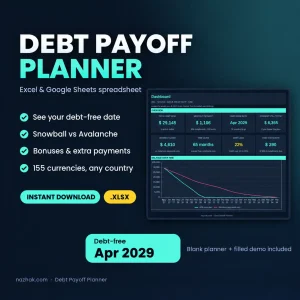
Debt Payoff Planner Spreadsheet (Google Sheets)
Original price was: Rp70.000.Rp50.000Current price is: Rp50.000.Select options This product has multiple variants. The options may be chosen on the product page -
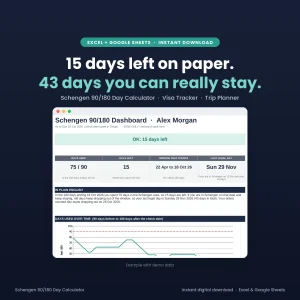
Schengen 90/180 Day Calculator
Original price was: Rp70.000.Rp50.000Current price is: Rp50.000. -
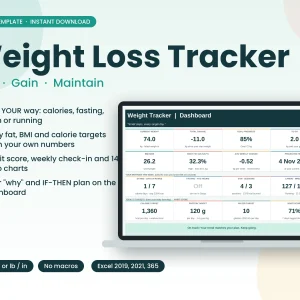
Weight Loss Tracker Excel Spreadsheet, Calorie Fasting Gym Running Habit Tracker, Body Fat BMI Dashboard, Instant Download
Original price was: Rp70.000.Rp50.000Current price is: Rp50.000. -
Symptom & Trigger Tracker
Original price was: Rp70.000.Rp50.000Current price is: Rp50.000.
Reviews
There are no reviews yet.